From prompt to prototype in three tools
Scope of Work
The shortest path from idea to testable app
Aerozone was a personal project to eliminate the guess work for a cardio workout. It is a conditioning app built around dynamic workout generation, zone-based cardio logic and interval templates. The question was whether it was possible to compress the concept-to-prototype timeline by leaning almost entirely on AI-assisted tooling, using prompts to replace what would typically take weeks of design exploration. The answer turned out to be yes, and the pipeline looked like this: Google Stitch for initial concept generation, Claude (via Figma's Desktop Bridge MCP) for design system construction, and Expo Go for testing.
The workflow.
Three phases, three tools
01. Concept generation from a UX design prompt
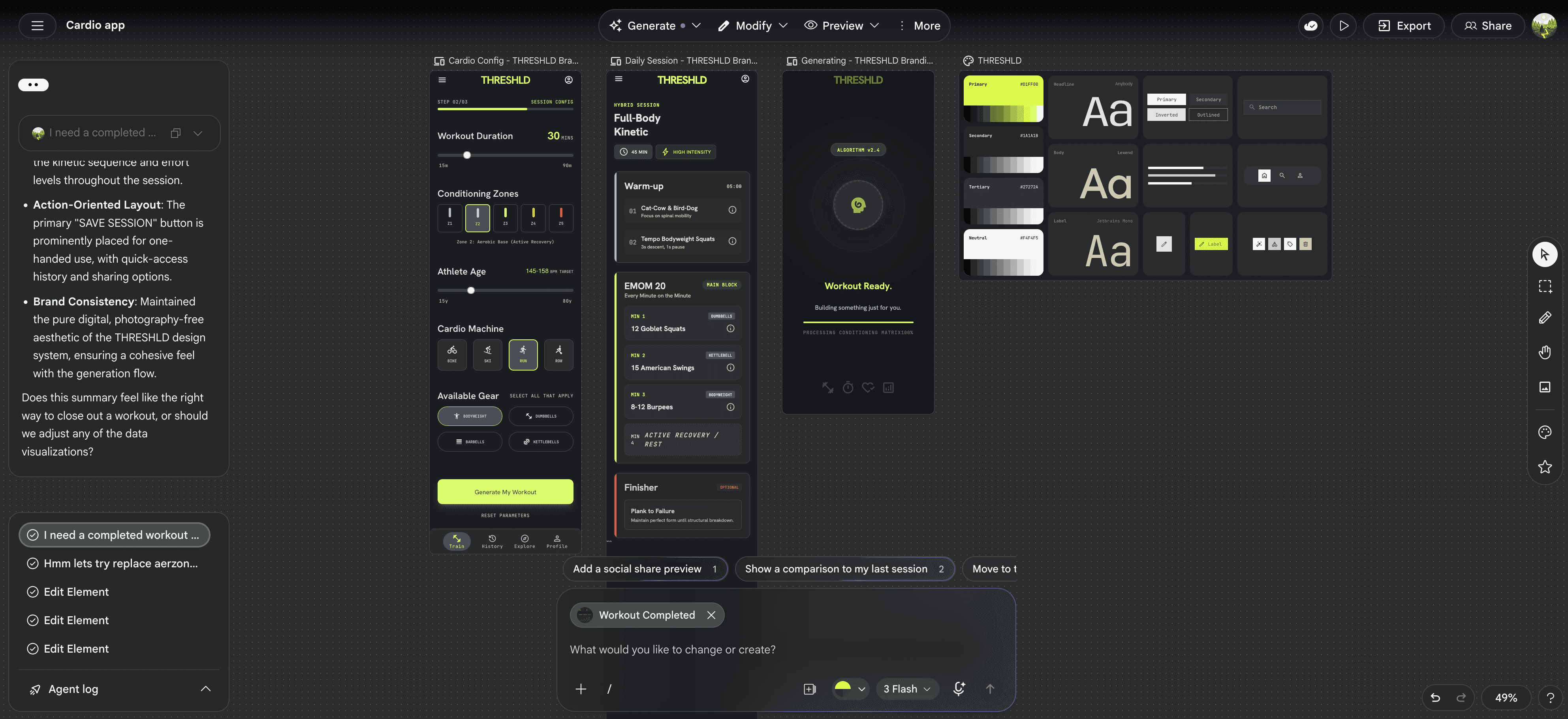
A detailed prompt defined the visual language, component priorities, and screen scope, but intentionally left the visual execution open. This was fed into Google Stitch, which generated conceptual screens: an interval player, workout generator, onboarding flow, and recovery states. The output wasn't pixel-perfect production UI, but it established the visual character, dark-first surfaces, strong typography hierarchy, restrained athleticism ,that the design system would need to support. Frames were exported directly from Stitch into Figma.

02. Design system built from the Stitch output
With the Stitch frames open in Figma and the Desktop Bridge plugin running, Claude was given a single instruction: read the open file, extract the visual language, and build a design system from it. No manual token decisions. Claude read the screens, derived the colour palette, spacing rhythm, and type scale, then constructed the variable collections and a Button component with all interactive states. The system was built directly into Figma via the plugin API, no copy-paste, no manual variable entry.
The Aerozone design system was scaffolded entirely by reading the Stitch concept frames. Claude identified the raw values from the screens and organised them into a two-tier architecture: Primitives for raw colour, spacing, and radius values, and a Semantic layer aliasing into those primitives with Light and Dark modes. Type styles, a spacing scale, and a radius scale were created as Figma styles. The Button component was built with Default, Hover, Pressed, Disabled, and Focus states, all bound to semantic tokens.


03. Prototype wired to real data and tested on-device
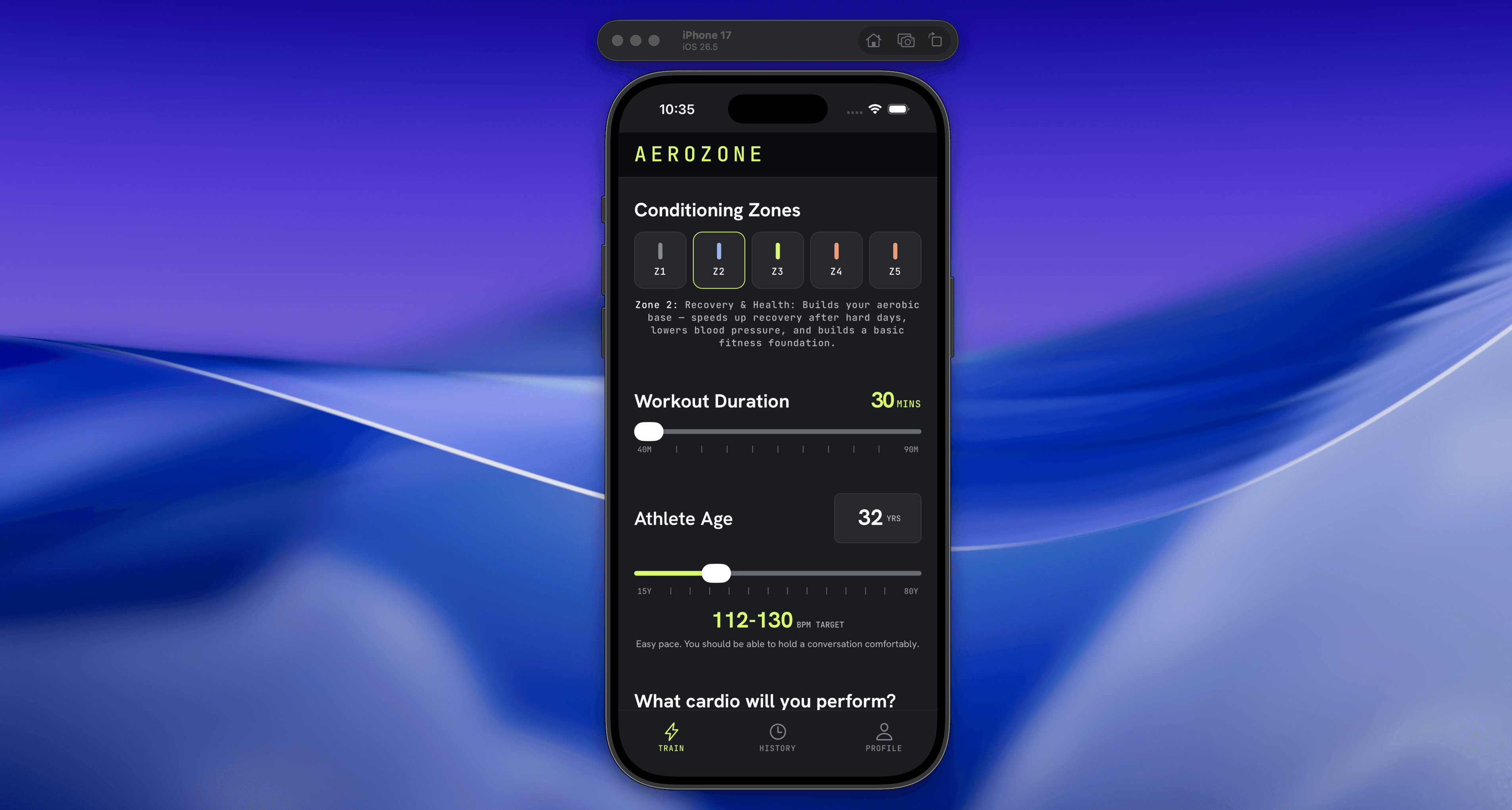
Using Claude Code, the prototype was built in React Native and wired to a Supabase backend carrying real training splits and exercise data. Claude even walked me through using Supabase for the first time and how to hook it up to my app.
The Expo prototype pulled live data from Supabase at runtime. Training splits and exercises were stored as structured records, each exercise carrying category, equipment requirements, target muscle group, applicable training splits, and whether it was compound or isolation. The workout generation logic selected and ordered exercises against user-chosen split, available equipment, and session constraints.
Running this in Expo Go rather than a browser prototype mattered: it surfaced real mobile UX issues, touch target sizing, scroll behaviour, timer legibility in bright light, that Figma preview mode doesn't catch. The Aerozone design prompt had pre-specified that screens needed to work for sweaty hands, outdoor visibility, and one-handed use. Testing in Expo Go was the only way to validate those requirements.
TAKEAWAYS
What this workflow actually demonstrates
The prompt is the design brief. A well-structured prompt, covering UX philosophy, tone, component priorities, accessibility constraints, produces a design direction that can be handed to another AI tool and executed. Writing that prompt is the design work.
AI tools in sequence compound each other's output. Stitch's screens gave Claude a grounded visual input. Claude's design system gave the Expo prototype a token-bound style baseline. Each phase built on real artefacts from the previous one, not on assumptions.
Design systems built from AI-generated concepts are structurally sound. The two-tier Primitive → Semantic architecture, light/dark mode split, and component state coverage are not shortcuts, they're the same architecture used in production enterprise systems. The build method was different; the output quality wasn't.
The designer's leverage is in direction, not production. The value here wasn't removing design thinking, it was concentrating it into fewer, higher-leverage moments: the initial prompt, the design system review, the prototype test. Everything between those moments was automated.
Testing on-device validates what Figma can't. The move from design system to Expo Go in a single pipeline means you reach a testable product faster, but also means real usability issues surface early, before any production engineering investment.

For more detail, download my resume